Blog

  • Collection to List Section Sync

    Collection to List Section Sync thumbnail

    Gain unmatched design flexibility by allowing your blog posts, products, or portfolio items to sync directly into a standard Squarespace List Section. This bypasses the limitations of the built-in Summary Block, letting you style and present dynamic content using the superior features and layouts of the List Section. Perfect for designers needing pixel-perfect control over collection displays.

    Get This Product

  • Nested Menu Dropdowns

    Nested Menu Dropdowns thumbnail

    Organize complex website structures by enabling nested, multi-level dropdown menus in your Squarespace 7.1 header. This essential plugin allows for a second tier of menu items within your existing dropdown folders, providing a clean solution for sites with a deep hierarchy of content or services. Greatly improves site architecture and navigability for large websites.

    Get This Product

  • Pinned Page Nav Bar

    Pinned Page Nav Bar thumbnail

    For content-heavy or long-scrolling pages, the Pinned Page Nav Bar provides a sticky, internal table of contents that stays visible as the user scrolls. This significantly improves navigation and user experience on landing pages or long-form blog posts by allowing users to instantly jump to relevant sections without needing to scroll back up.

    Get This Product

  • Countdown Timer

    Countdown Timer thumbnail

    Create urgency and drive immediate action on your Squarespace sales pages or announcement bars with a professional countdown timer. This plugin is essential for promotions, event registrations, or product launches, offering multiple style presets to perfectly match your site’s design. Use it to boost conversion rates by leveraging the fear of missing out (FOMO).

    Get This Product

  • Secondary Navigation for Squarespace 7.1

    Secondary Navigation for Squarespace 7.1 thumbnail

    Easily implement a dedicated secondary navigation menu on your Squarespace 7.1 site, perfect for housing utility links, legal pages, or specialized content sections. This plugin provides flexible placement options (above or below the main navigation) to de-clutter your primary menu while ensuring all important links are accessible and well-organized for superior user experience.

    Get This Product

  • Collection Carousel

    Collection Carousel thumbnail

    Display your blog posts, products, or portfolio items in a fully customizable, responsive carousel that goes far beyond the built-in Summary Block. Features like infinite looping, autoplay, and adjustable sliding effects give you professional control over how you showcase your content collections. Use this plugin to drive engagement and highlight key content on your homepage or landing pages.

    Get This Product

  • Pocket View Tabs

    Pocket View Tabs thumbnail

    Convert long, scrollable List Sections into compact, organized, and elegant tab components using the Pocket View Tabs plugin. This solution is ideal for tidying up pages with a lot of content, such as FAQs, services, or product features, presenting information in a clean, space-saving tabbed interface. Maximize screen real estate and improve content hierarchy with this versatile layout tool.

    Get This Product

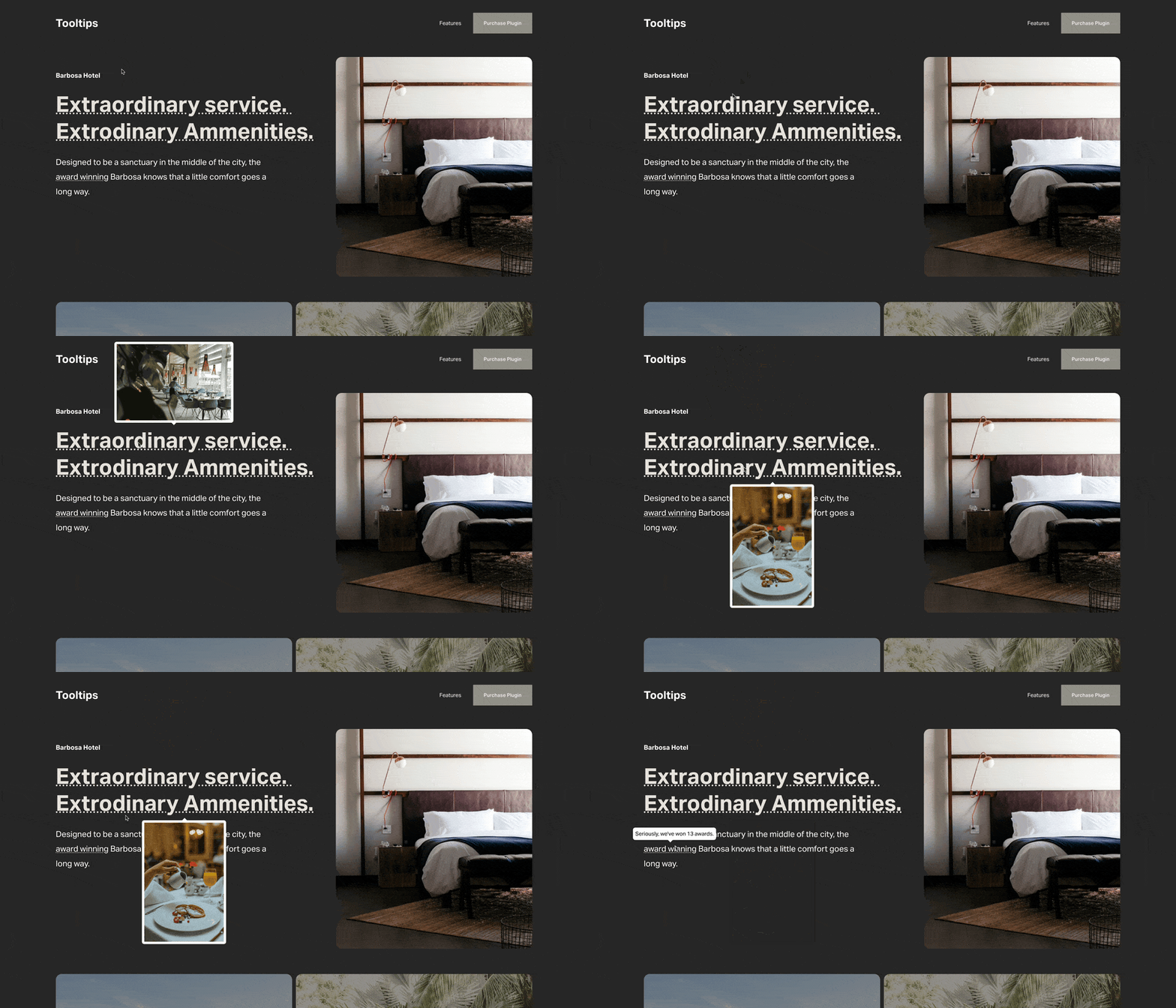
  • Tooltips

    Tooltips thumbnail

    Add helpful, non-intrusive tooltips to your Squarespace site to provide instant context and supplementary information without cluttering the page. Use these elegant hover effects over text, icons, or links to clarify complex terms, link to resources, or display miniature images. This simple but powerful plugin drastically improves the clarity and user-friendliness of any Squarespace page.

    Get This Product

  • Image Hotspots

    Image Hotspots thumbnail

    Transform static imagery into interactive experiences by adding clickable ‘hotspots’ to any image block or product photo. This is perfect for highlighting specific features on a product, showing different rooms on a floor plan, or detailing points on a map. Enhance product pages and engaging landing sections by delivering information directly where the user’s focus is drawn.

    Get This Product

  • Vertical Accordion

    Vertical Accordion thumbnail

    Showcase collection items (like portfolio pieces or blog posts) in a unique and stylish vertical accordion layout. Instead of a traditional grid, this design allows users to click to expand and view details, creating an engaging and compact way to display multiple projects or services while saving significant vertical space on the page.

    Get This Product